
ACEMAGIC K1 with Ryzen R2544: Is It Enough for You?
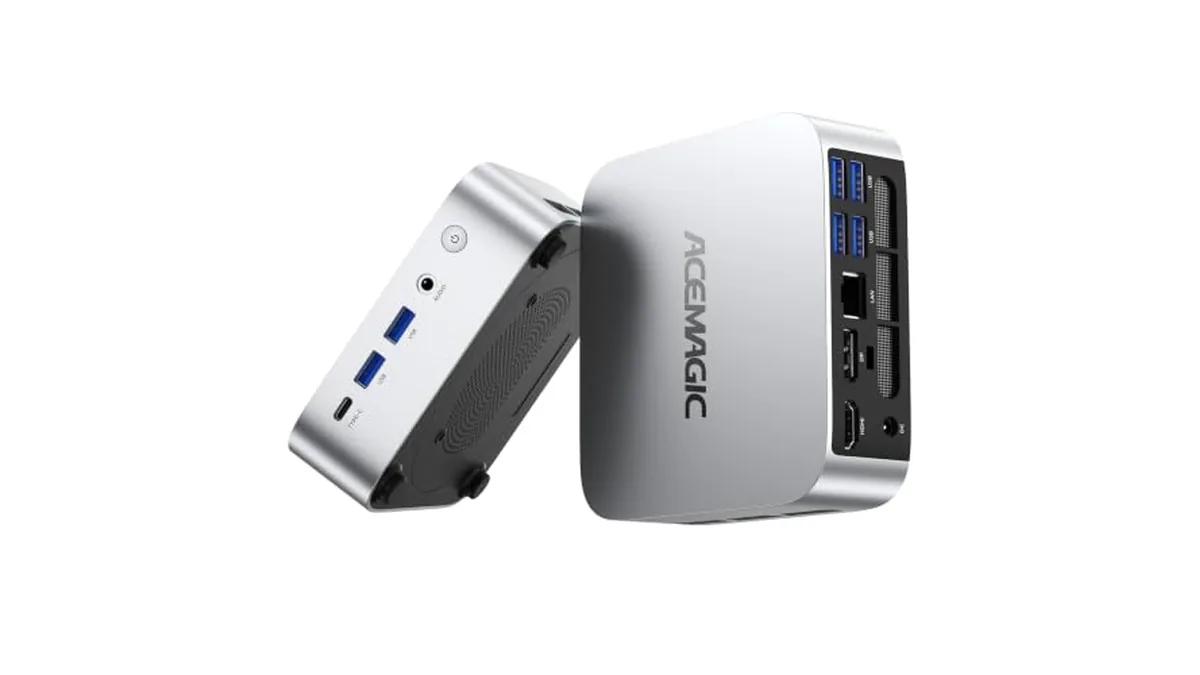
The Ryzen R2544 isn't a chip most people know, so it's fair to ask what this version of the ACEMAGIC K1 can actually do. Below we answer the questions that decide whether it suits you, using ACEMAGIC's published K1 specifications.
What is the Ryzen Embedded R2544?
A four-core, eight-thread processor with Zen+ cores built on a 12 nm process. It runs at 3.35 GHz and boosts to 3.7 GHz, with 4 MB of cache and Radeon Vega 8 graphics at up to 1,300 MHz. It comes from AMD's Ryzen Embedded family rather than its mainstream laptop or desktop chips.
Will it handle office work and browsing?
Yes. Documents, spreadsheets, email, web apps and video calls are what this class of chip is for. Eight threads help when a call, a browser and an Office app run together.
Will it stream 4K video?
Yes. ACEMAGIC lists HDMI 2.0 and DisplayPort 1.4 at 4K 60 Hz, and the Vega 8 graphics handle video playback.
Can it play games?
Older and lighter games at low settings, yes. Modern 3D games, no. If games matter, the ACEMAGIC X3 with Radeon 780M or the M1 with Radeon 680M are the right step up.
Can it edit photos and video?
Light photo edits, yes. Large photo batches and video editing will be slow; an eight-core chip such as the Ryzen 7 7730U in another K1 version suits that work better.
8GB or 16GB?
ACEMAGIC sells the R2544 K1 with 8 GB and 256 GB or 16 GB and 1 TB. For a single job, such as a reception PC or a TV box, 8 GB works. For a family or office PC used for everything, 16 GB is more comfortable, and the 1 TB drive saves buying storage later.
Can I upgrade it later?
Yes, and this is the R2544 K1's strongest point. ACEMAGIC lists two SO-DIMM slots up to 32 GB of DDR4-3200, and two M.2 slots (one SATA or NVMe PCIe 3.0 x2, one NVMe PCIe 3.0 x4), each up to 2 TB.
How many screens can it run?
Three: HDMI 2.0, DisplayPort 1.4 and USB-C with DisplayPort. ACEMAGIC rates each output for 4K at 60 Hz, and its Japanese page notes that with all three connected at once, the maximum is 4K at 30 Hz.
What about ports and wireless?
Six USB-A 5 Gbps ports and one USB-C 5 Gbps port, Gigabit Ethernet, Wi-Fi 5 and Bluetooth 4.2. The wireless standards are older; wired Ethernet gives the most consistent connection.
Verdict: choose the R2544 K1 if…
- You need an everyday Windows 11 Pro desktop for documents, browsing, calls and streaming
- You want many USB ports and up to three screens
- You'd like to add memory and storage yourself later
Choose something else if you game, edit video or want the newest Wi-Fi. Our ACEMAGIC K1 vs M1 comparison sets this K1 against the faster M1 job by job, and ACEMAGIC AMD Ryzen mini PCs and the ACEMAGIC FAQ help narrow it down.