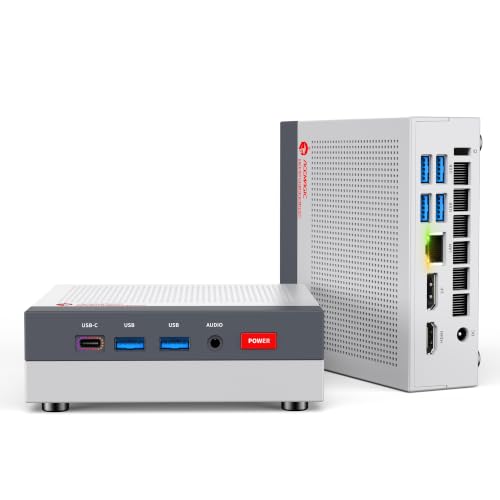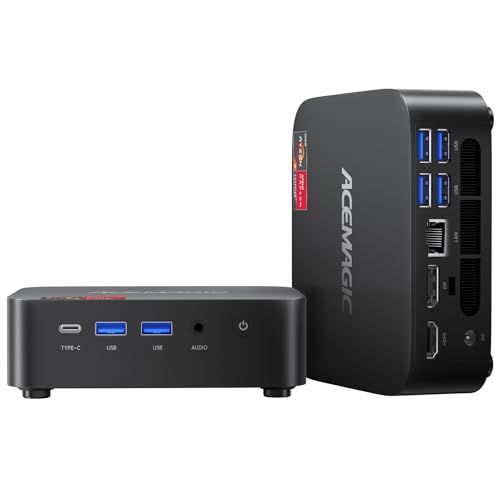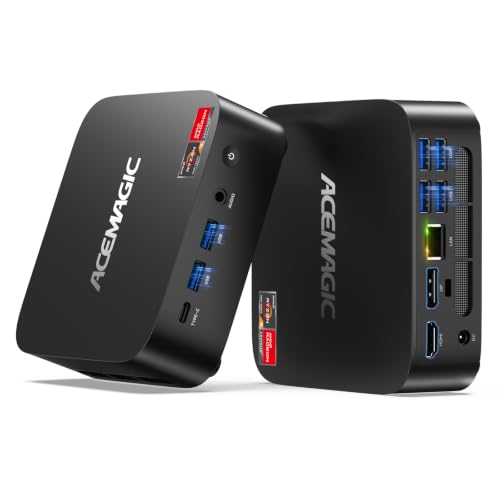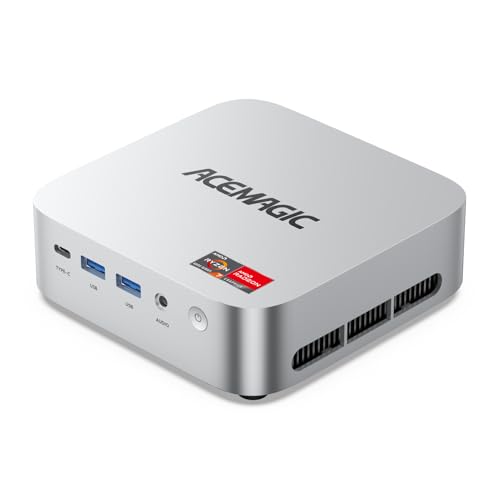
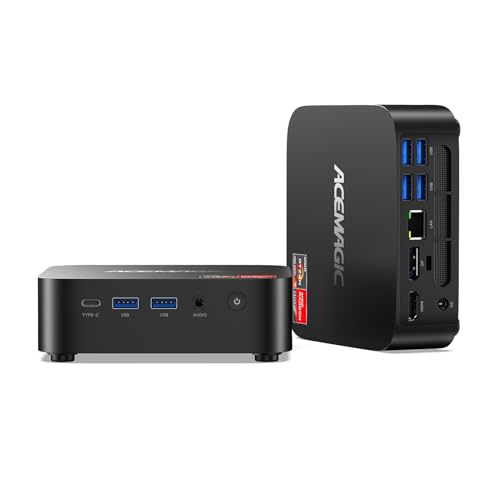
The M1 is ACEMAGIC's balanced all-rounder: an eight-core Ryzen 7 7735HS with Radeon 680M graphics, 24 GB of fast LPDDR5 memory, a 1 TB NVMe SSD and a second M.2 slot, all in a 128 mm square case. It has 2.5 Gbps Ethernet, Wi-Fi 6 and three video outputs. If you want one small PC that handles office work, photo editing, light gaming and a fast home network, this is the configuration to look at first.
Key specs
- Processor: AMD Ryzen 7 7735HS, 8 cores / 16 threads, Zen 3+ on 6 nm, 3.2 GHz base, up to 4.75 GHz, 16 MB L3 cache
- Graphics: AMD Radeon 680M, 12 graphics cores, up to 2,200 MHz
- Memory: 24 GB LPDDR5-5500 (2 × 12 GB), soldered, not expandable
- Storage: 1 TB NVMe PCIe 3.0 x4 SSD; two M.2 NVMe slots, up to 4 TB total; no SATA
- Displays: HDMI 2.0, DisplayPort 1.4, USB-C 10 Gbps with DisplayPort 1.4
- Ports: two USB-A 10 Gbps on the front, four USB-A 5 Gbps on the back
- Network: 2.5 Gbps Ethernet, Wi-Fi 6, Bluetooth 5.2
- Cooling: 80 mm fan
- Size: 128.2 × 128.2 × 41 mm
- Power: 19 V / 3.42 A adapter
- In the box: VESA mount, HDMI cable
Why this configuration
The M1 shares its processor with the K1 Gaming version, but it comes with twice the storage and a fully published spec sheet. Two things set it apart. First, the 1 TB drive plus a second NVMe slot gives room for a large game or photo library. Second, the 2.5 Gbps Ethernet port is more than twice as fast as Gigabit, which matters if you move files to a NAS or have multi-gig internet.
Memory: fast, but fixed
LPDDR5-5500 is faster than the DDR4 in the K1 and V1, and the Radeon 680M benefits directly because it uses system memory as video memory. The trade-off is that it's soldered. Twenty-four gigabytes is what you'll have for the life of the machine. For most people that's plenty: Windows, a browser, Office, Lightroom and a game launcher fit comfortably. If you know you'll need 32 GB or more for virtual machines or large projects, consider the M5, which has SO-DIMM slots up to 64 GB.
Graphics and gaming
The Radeon 680M has twelve RDNA 2 graphics cores at up to 2,200 MHz. That's enough for many games at 1080p with low to medium settings, and it speeds up GPU-accelerated editing in apps that support it.
Ports and displays
Two 10 Gbps USB-A ports on the front are handy for fast flash drives and external SSDs. Four 5 Gbps ports on the back cover a keyboard, mouse, webcam and printer. The three video outputs (HDMI, DisplayPort and USB-C) each support 4K 60 Hz, so the M1 can run three monitors.
Who should pick this one
- People who want one compact PC for work, editing and casual gaming
- Home-network users with a NAS or multi-gig internet who want 2.5 Gbps Ethernet
- Anyone who prefers a large internal drive over external storage
If you need upgradable memory or more CPU cores, look at the M5. For stronger graphics and USB4, look at the X3.
More on the series: ACEMAGIC M1 overview.
Questions
Can I upgrade the RAM? No. The 24 GB of LPDDR5 is soldered to the board.
Can I add a second SSD? Yes. There are two M.2 NVMe slots, up to 4 TB in total. SATA drives aren't supported.
How many monitors? Three, through HDMI, DisplayPort and USB-C, each up to 4K 60 Hz.
What's in the box? ACEMAGIC lists a VESA mount and an HDMI cable with the M1.