
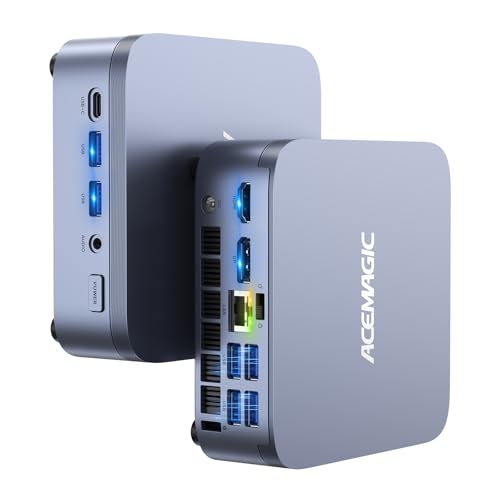
ACEMAGIC Performance Mini PCs: M1, X3 and M5
Performance mini PCs put processors from gaming laptops into a desktop box about the size of a paperback book. ACEMAGIC's three models here each have 8 to 16 cores, drive three monitors and use fast NVMe storage, but they're tuned for different jobs. The M1 is the balanced all-rounder, the X3 leads on graphics and ports, and the M5 leads on processor cores.
The three models at a glance
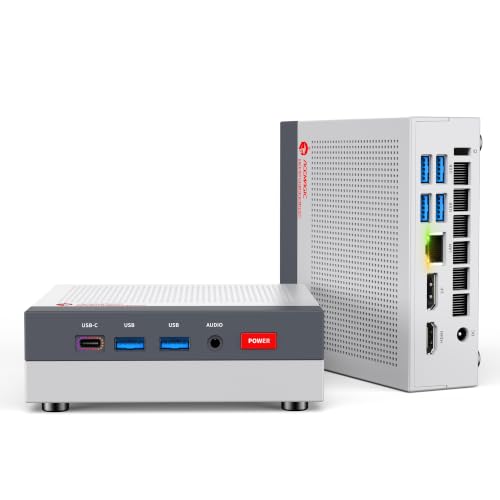
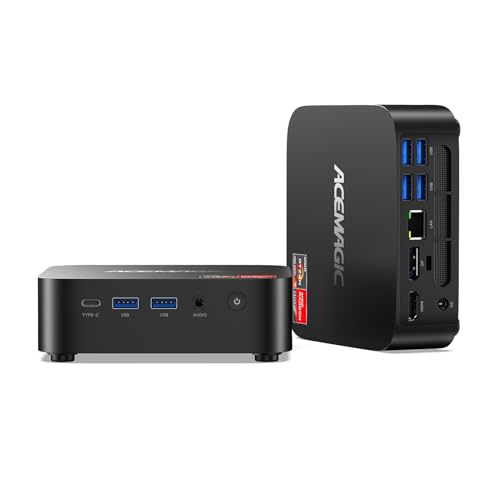
- ACEMAGIC M1: Ryzen 7 7735HS (8 cores / 16 threads), Radeon 680M, 24 GB LPDDR5, 1 TB, 2.5 Gbps Ethernet. A strong all-purpose desktop for office, programming and light gaming.
- ACEMAGIC X3: Ryzen 7 H 255 (8 cores / 16 threads, Zen 4), Radeon 780M, USB4, HDMI 2.1 and DisplayPort 2.0, 2.5 Gbps Ethernet. The pick for gaming and high-refresh screens.
- ACEMAGIC M5: Core i7-14650HX (16 cores / 24 threads), upgradable DDR4 up to 64 GB, two M.2 slots. The pick for code builds, virtual machines and heavy multitasking.
How to choose a performance mini PC
Start with graphics if you play or edit. Integrated graphics share system memory and vary widely. ACEMAGIC's X3 uses the Radeon 780M, the strongest here; the M1's Radeon 680M is a step below; the M5's Intel UHD graphics are basic. If gaming or GPU-accelerated editing is part of the plan, graphics should decide the purchase before core count.
Count the cores you'll actually use. Sixteen cores help with work that spreads across many threads: compiling, batch exports, rendering on the processor and several virtual machines. For office work, browsing and most games, eight fast cores are plenty, and the M1 or X3 will feel just as quick.
Decide whether memory must be upgradable. The M1 and X3 use LPDDR5 soldered to the board, which is fast but fixed. The M5 uses two standard DDR4 slots up to 64 GB. If you might need more memory in a few years, that's a strong reason to choose the M5, or to buy the largest soldered option on the M1 or X3.
Check the ports you need. Only the X3 has USB4 at 40 Gbps, which suits fast external SSDs, docks and some high-resolution displays. All three have two 10 Gbps USB-A ports on the front and four 5 Gbps ports on the back, and all three drive three screens.
Think about your network. The M1 and X3 have 2.5 Gbps Ethernet; the M5 has Gigabit. The X3 and M5 support Wi-Fi 6E, the M1 Wi-Fi 6.
Plan for heat and noise. These chips draw far more power than everyday mini PCs. ACEMAGIC lists up to 54 W for the X3's processor and up to 55 W sustained for the M5 platform, and doesn't publish noise figures. Give the case space to breathe, and expect audible fans under heavy loads.
Match the configuration. ACEMAGIC sells several memory and storage versions of each model, and some regional spec pages differ. Check the processor, memory and drive on the product page before you order.
Quick picks
| If you want... | Choose |
|---|---|
| One machine for work, study and light games | M1 |
| The best gaming and editing graphics | X3 |
| USB4 or a 4K 120 Hz screen | X3 |
| The most cores and upgradable memory | M5 |
| 2.5 Gbps Ethernet | M1 or X3 |
FAQ
Can a performance mini PC replace a desktop tower? For most office, programming and editing work, yes. What a mini PC can't match is a tower with a separate graphics card for demanding games.
Which ACEMAGIC model is best for gaming? The X3, because of its Radeon 780M graphics. Expect light to moderate games at modest settings.
Why does the M5 have weaker graphics than the cheaper M1? The i7-14650HX is designed to work alongside a separate graphics card, so its built-in graphics are basic. The M1's AMD processor puts more emphasis on integrated graphics.
Can I add a second SSD? Yes, all three have two M.2 2280 slots and support up to 4 TB in total. The M1's slots don't accept SATA drives; use NVMe.
Do they run Linux? ACEMAGIC lists Ubuntu and Linux as compatible on the M1 and M5 pages. All three ship with Windows 11 Pro.
Not sure you need this much power? Compare our everyday mini PCs or read the full ACEMAGIC review.