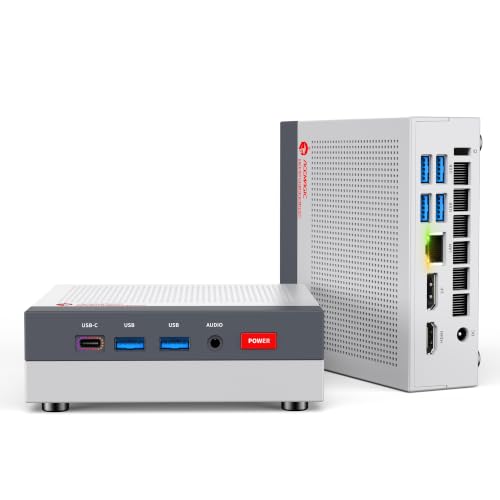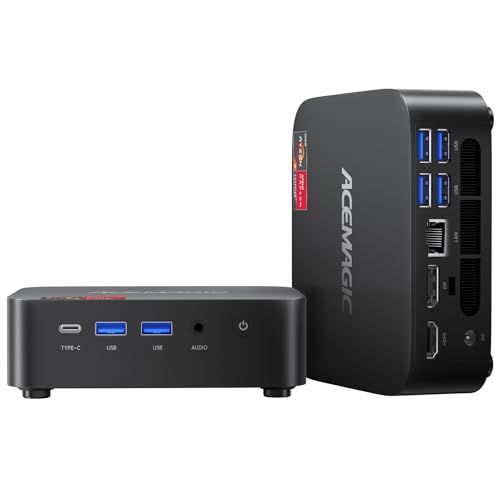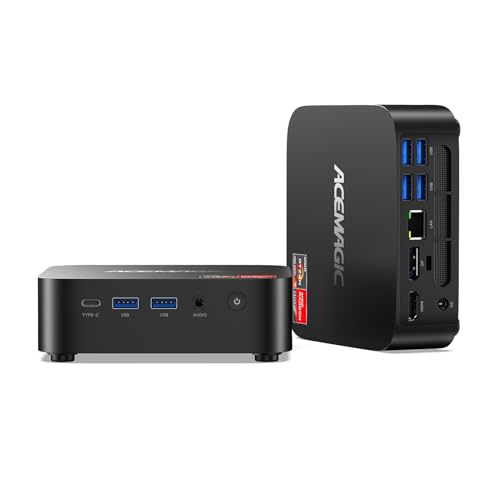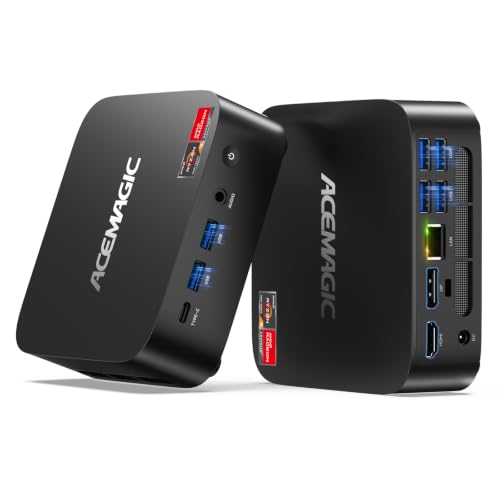
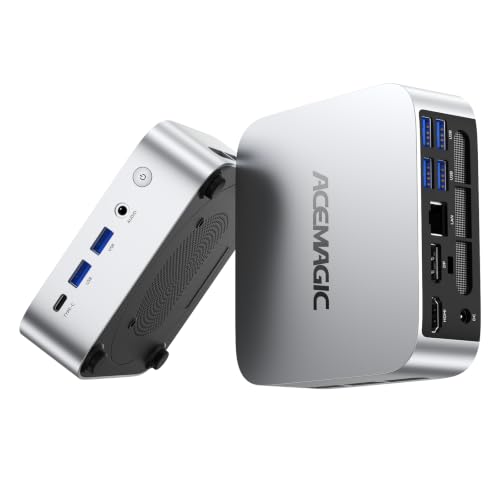
The K1 with the Ryzen Embedded R2544 is ACEMAGIC's low-cost desktop for office work, school and a living-room screen. This version ships with 16 GB of DDR4 memory and a 1 TB SSD, with Windows 11 Pro installed. That's enough memory for a browser full of tabs next to Office or Teams, and enough storage that most people won't need a second drive for years.
Key specs
- Processor: AMD Ryzen Embedded R2544, 4 cores / 8 threads, 3.35 GHz base, up to 3.7 GHz, 4 MB L3 cache
- Graphics: Radeon Vega 8, up to 1,300 MHz
- Memory: 16 GB DDR4 in two SO-DIMM slots, up to 32 GB DDR4-3200
- Storage: 1 TB SSD; two M.2 slots (one SATA or NVMe PCIe 3.0 x2, one NVMe PCIe 3.0 x4), up to 2 TB per slot
- Displays: HDMI 2.0, DisplayPort 1.4 and USB-C with DisplayPort, up to 4K 60 Hz
- Ports: six USB-A 5 Gbps, one USB-C 5 Gbps (data and video), Gigabit Ethernet
- Wireless: Wi-Fi 5, Bluetooth 4.2
- Size: 128.2 × 128.2 × 41 mm, with a VESA mount in the box
- Power: 19 V / 3.42 A adapter
- System: Windows 11 Pro
What the R2544 is built for
The R2544 comes from AMD's embedded line, chips designed for kiosks, thin clients and small office machines that run for years. It has four Zen+ cores with eight threads. In daily use that means smooth web browsing, documents, spreadsheets, email and video calls. Streaming video up to 4K is comfortable for the Vega 8 graphics. Heavy photo editing, video export and modern 3D games are outside what this chip is meant for. If those matter, look at the Ryzen 7 machines further up the range.
Why the 16GB / 1TB version
ACEMAGIC also sells the K1 R2544 with 8 GB and 256 GB. The difference matters more than the price gap suggests. With 16 GB in dual channel, the integrated graphics get more memory bandwidth and Windows has room to keep apps open without paging to disk. The 1 TB drive holds a photo library, offline files and a few years of downloads. Because both memory slots are already in use on most 16 GB builds, reaching 32 GB means replacing modules rather than adding one.
The second M.2 slot is the easy upgrade. Add an NVMe or SATA drive for backups or a media library, up to 4 TB across both slots.
Connections and desk setup
Six USB-A ports is a lot for a box this small. A keyboard, mouse, webcam, printer and two external drives can all stay plugged in. The USB-C port carries video as well as data, so with HDMI and DisplayPort the K1 can run three screens. ACEMAGIC's Japanese page notes that with all three connected at once, the maximum drops to 4K at 30 Hz. For two 4K monitors at 60 Hz, use HDMI and DisplayPort.
Wi-Fi 5 and Bluetooth 4.2 are older standards. They work fine for a home office, but if your router is Wi-Fi 6 or newer and you want the fastest wireless speed, plug into the Gigabit Ethernet port. The included VESA bracket lets you hide the K1 behind a monitor.
Who should pick this one
- Home offices and students who want a full Windows 11 Pro desktop for documents, browsing and calls
- Families setting up a shared PC or a TV-connected media box
- Small offices that need a quiet, compact machine with lots of USB ports
Skip it if you plan to edit 4K video or play recent games. The ACEMAGIC M1 with Ryzen 7 7735HS has twice the cores and much stronger graphics.
Other K1 versions
- K1 R2544 with 8GB and 256GB: same processor, less memory and storage
- K1 with Ryzen 3 7330U: newer Zen 3 cores, smaller drive
- K1 with Ryzen 7 7730U: eight cores and 32 GB
- The ACEMAGIC K1 overview covers the whole series
Questions
Can I upgrade the memory? Yes. There are two SO-DIMM slots, and ACEMAGIC lists support for up to 32 GB of DDR4-3200.
Does it support three monitors? Yes, through HDMI, DisplayPort and USB-C. With all three in use, ACEMAGIC lists a maximum of 4K at 30 Hz.
Is Windows activated? It ships with Windows 11 Pro installed.