
ACEMAGIC V1: N150 vs N97
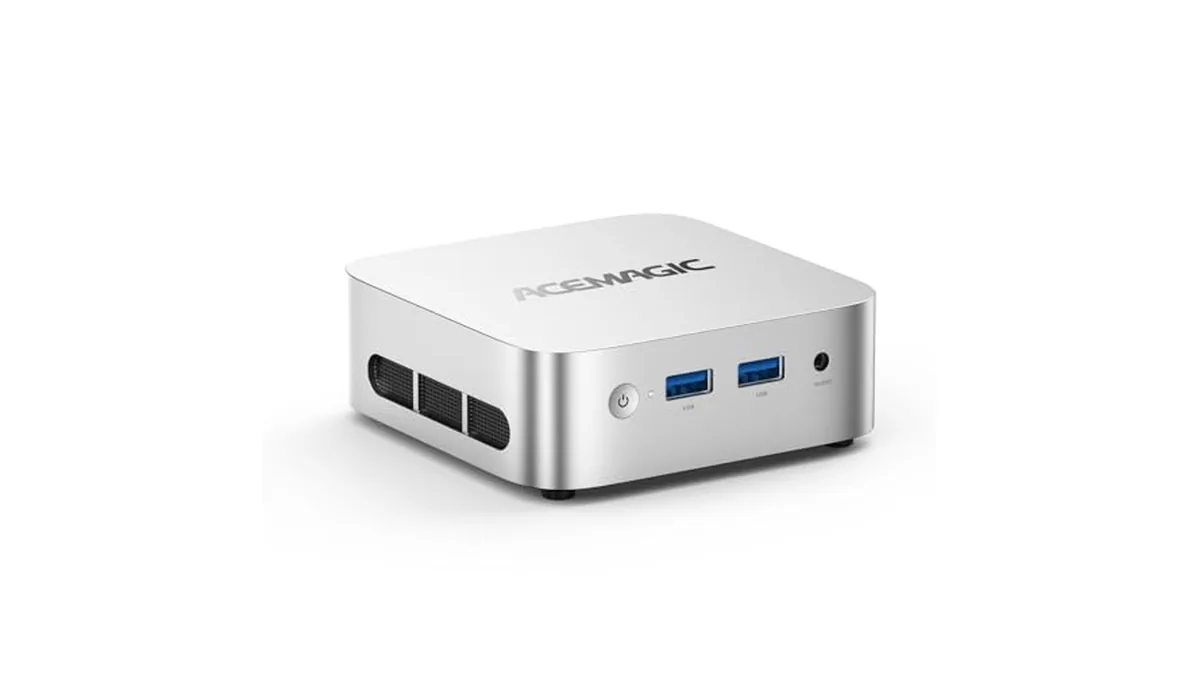
For everyday computing, these two chips sit in the same class. The decision usually comes down to storage: the V1 N97 version we link comes with 1 TB, and the V1 N150 version comes with 512 GB. Both stay in ACEMAGIC's smallest case and both target office work, browsing, calls and 4K streaming rather than heavy editing or games.
What they share
Both are Intel four-core, four-thread chips from the same low-power family. Both boost to 3.6 GHz and have 6 MB of cache. Both versions we link have 16 GB of DDR4 and dual 4K output. The case is 100 × 100 × 33 mm, which is smaller than the 128 mm class used on the K1, M1, X3 and M5. That size is the point of the V1 line: it tucks behind a monitor, on a shelf, or next to a TV without eating desk space.
Windows 11 Pro is the listed system on the N150 page. Dual 4K at 60 Hz makes a two-screen desk practical for spreadsheets and research. Sixteen gigabytes of DDR4 is enough for this class of processor when you keep the workload to documents, browser tabs and video meetings.
Where they differ
N150 - Newer Twin Lake chip - Intel Graphics, 24 execution units, up to 1.0 GHz (ACEMAGIC's figure) - 0.8 GHz base clock on ACEMAGIC's sheet - 512 GB M.2 2280 drive in the linked version - Full V1 spec sheet published: one SO-DIMM slot up to 16 GB (modules up to DDR4-3200), one M.2 slot up to 2 TB that accepts NVMe PCIe 3.0 or SATA, HDMI 2.0 and DisplayPort 1.4 at 4K 60 Hz, Wi-Fi 6, Bluetooth 5.2, 12 V / 2.5 A (30 W) adapter - Front ports listed as two 10 Gbps USB-A; rear has two USB 2.0, Gigabit Ethernet and 3.5 mm audio
N97 - Intel Processor N97 with a 12 W base power - Intel UHD Graphics, 24 execution units, up to 1.2 GHz (Intel's figure) - 1 TB SSD in the linked version - Dual 4K, Wi-Fi and Bluetooth listed for business and home-office use - ACEMAGIC's detailed V1 port and slot sheet was written for the N150 version, so check the product page for the N97's slot layout, ports and Wi-Fi standard before you plan an upgrade
Three questions to settle it
How much do you store locally? Photos, a music library or a media folder push you toward the N97's 1 TB. If your files sit in the cloud and the machine mainly runs apps, 512 GB is fine for many desks.
Do you want the newer chip and the full published sheet? The N150 has the documented Wi-Fi 6, Bluetooth 5.2, USB layout and 30 W adapter on ACEMAGIC's page. With the N97, read the product page first so you know what is included in that build.
Will you upgrade the drive later? The N150's single M.2 slot takes NVMe PCIe 3.0 or SATA drives up to 2 TB, so you can start at 512 GB and swap later. The N97 already ships with 1 TB in the linked version, which suits always-on jobs such as a family file share or a media library where low power and local space both matter.
Everyday jobs that fit both
Office documents, web apps, email, video meetings and 4K playback are comfortable on either V1. Two screens help with research and large sheets. A machine that stays on for a kiosk, a home media box or light home automation is a natural use for this low-power class. Keep expectations honest: many browser tabs plus heavy photo work or modern games will feel slow on four cores at this power level.
What neither is for
Both are built for office apps, browsing, calls and 4K streaming. Heavy photo editing, large local video projects and gaming need a different ACEMAGIC. For more room to expand, the K1 has more ports and memory slots, and the M1 adds much stronger graphics. All of them sit in Intel Mini PCs and Everyday Mini PCs.
A simple pick path
- Need about a terabyte out of the box and do not plan to open the case soon: look at the N97 build.
- Want the Twin Lake N150 sheet, Wi-Fi 6 and Bluetooth 5.2 spelled out, and you are fine starting at 512 GB: look at the N150.
- Already know you need more ports, extra memory slots or stronger graphics: skip both V1 options and compare the K1 or M1 instead.
Confirm the exact memory, drive and wireless notes on the product page for the version you buy. Configurations can differ by listing even inside the same V1 series name.
Desk and power notes
The 30 W adapter on the N150 sheet is small enough for a crowded desk or a TV stand. Place the box where the HDMI and DisplayPort cables can reach both screens without strain. If you use Ethernet instead of Wi-Fi, leave clear access to the rear Gigabit port. For silent always-on duty, keep the vents unobstructed; the tiny case still needs airflow even though the chip is low power.