
ACEMAGIC M5 for Programming and Dev Work
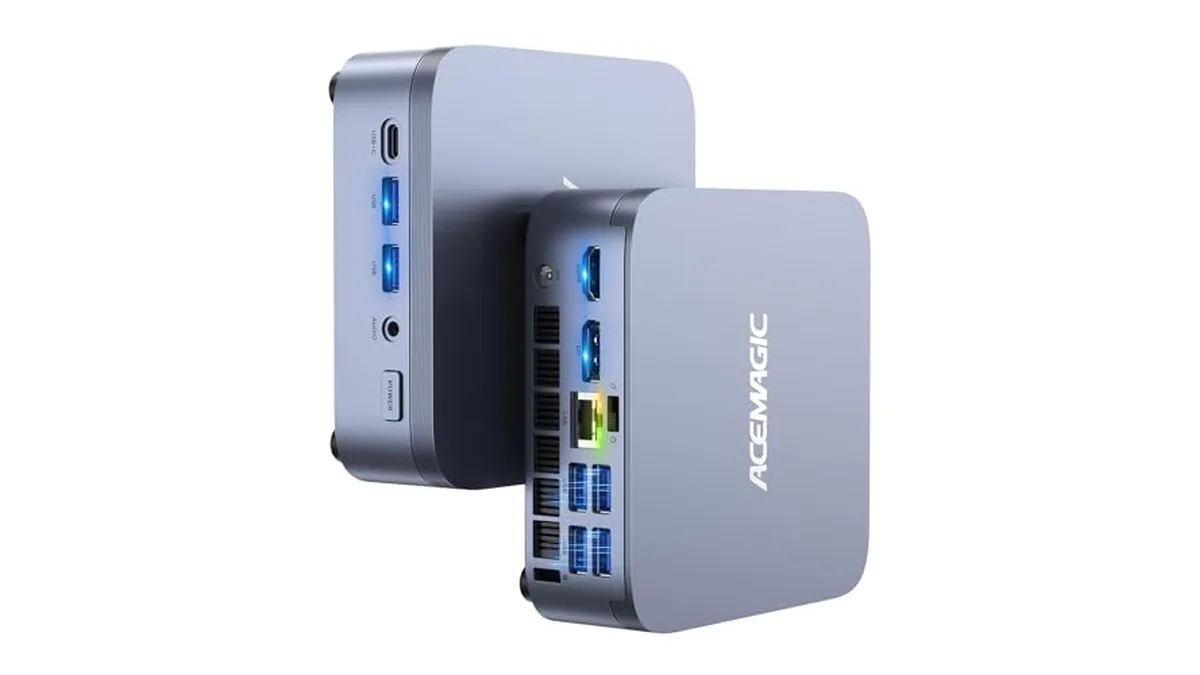
Developers want three things from a desk machine: many cores for builds, a lot of memory for everything running in the background, and screens. The M5 is the ACEMAGIC model built around the first two.
Builds and test runs
The Core i7-14650HX has 16 cores (8 performance, 8 efficient) and 24 threads, with a boost to 5.2 GHz and 30 MB of cache. Compilers, test runners and bundlers that split work across threads use all of that. Long builds on a 4-core laptop are where you'll notice the difference most. The performance cores also keep single-threaded work, like an editor or a language server, feeling quick.
Containers and virtual machines
Every container and VM takes its own slice of memory. The M5 uses two standard DDR4-3200 SO-DIMM slots and ACEMAGIC lists support for up to 64 GB. The linked configuration ships with 16 GB, and ACEMAGIC also sells a 32 GB version. If you run a database, a few services and a VM at once, plan for 32 GB or more. Our RAM upgrade guide covers how to add memory.
On the software side, the M5 ships with Windows 11 Pro, and ACEMAGIC lists Ubuntu and Linux as compatible. Windows 11 Pro also includes Hyper-V and Remote Desktop hosting.
A storage layout that works
There are two M.2 2280 slots:
- Slot 1, PCIe 4.0 ×4: the included 1 TB drive. Keep the OS, tools and active repos here.
- Slot 2, SATA or NVMe PCIe 3.0 ×4: a second drive for VM images, Docker volumes, datasets or backups.
Each slot takes up to 2 TB, for 4 TB total.
Screens
HDMI 2.0, DisplayPort 1.4 and USB-C (DisplayPort 1.4) each drive a 4K 60 Hz monitor, so code, browser and terminal can each get a screen. The front USB-A ports run at 10 Gbps for fast external SSDs.
The trade-offs for dev work
- Graphics are basic. Intel UHD with 16 execution units is fine for IDEs and screens, but GPU compute and machine-learning work need something else. The X3 has much stronger Radeon 780M graphics.
- Gigabit Ethernet. If you pull large images from a NAS, the M1 and X3 have 2.5 Gbps.
- Fan noise isn't published. A 16-core chip in a 128 × 128 × 41.3 mm case will spin its fan up on long builds.
A sensible starting setup
- Start with 32 GB.
- Add a second NVMe drive for VMs and containers.
- Run three monitors from the three video outputs.
- Put the 19 V / 6.32 A adapter somewhere with airflow.
The M5 sits in Performance Mini PCs with the X3 and M1.