
Mini PC vs Desktop Tower: What You Give Up
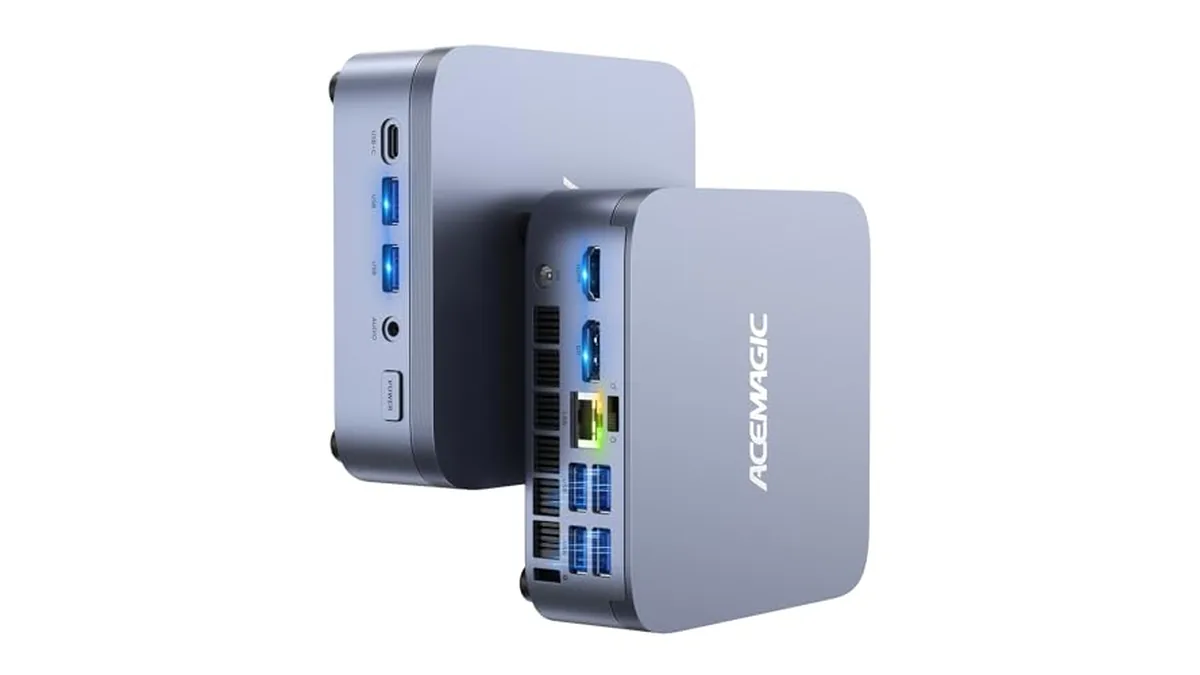
A tower still wins when you need a full-size graphics card, many drive bays or tool-free swaps every month. For code builds, virtual machines, spreadsheets and photo exports, a compact box can replace that footprint. The ACEMAGIC M5 puts a 16-core Intel Core i7-14650HX into a case listed at 128 × 128 × 41.3 mm—desktop-class thread count without the pedestal under the desk.
What the M5 keeps from a tower workflow
Core count. Most mini PCs in this class use 8-core chips. The i7-14650HX is 16 cores (8 performance + 8 efficient) and 24 threads, 2.2 GHz base and up to 5.2 GHz with 30 MB cache. That helps work that splits across threads: compiles, batch photo exports, processor-side video encodes and several virtual machines at once. ACEMAGIC's UK page describes the M5 platform as running at up to 55 W sustained—high for a case this size.
Memory you can still upgrade. Unlike ACEMAGIC's M1 and X3, which solder memory to the board, the M5 uses two standard DDR4-3200 SO-DIMM slots and lists support up to 64 GB. Start with the kit on the product page (the linked version ships with 16 GB DDR4 and a 1 TB drive; some ACEMAGIC tables show a 32 GB kit) and add matched modules later so dual-channel stays intact.
Two drive slots. One M.2 2280 slot runs NVMe PCIe 4.0 ×4 for the system drive. The second takes SATA or NVMe PCIe 3.0 ×4. ACEMAGIC lists up to 2 TB per drive and 4 TB total—enough to keep the OS on the fast slot and an archive on the second, the same split many towers use with a boot SSD and a data drive.
Three monitors. HDMI 2.0, DisplayPort 1.4 and USB-C with DisplayPort 1.4 each list 4K at 60 Hz. Front ports include two 10 Gbps USB-A; the rear adds four 5 Gbps USB-A, one 10 Gbps USB-C, Gigabit Ethernet and 3.5 mm audio. Wireless is Wi-Fi 6E and Bluetooth 5.2. The machine ships with Windows 11 Pro; ACEMAGIC also lists Ubuntu and Linux as compatible.
What you give up versus a full tower
Discrete graphics. HX-class processors are designed to sit next to a separate graphics card. The M5 uses Intel UHD Graphics for 14th Gen processors—16 execution units, up to 1.6 GHz. That covers office work, video playback and multi-monitor desks. It is well below the Radeon 680M and 780M chips in ACEMAGIC's AMD models for gaming or GPU-heavy edits. A mid-tower with a full PCIe card still owns that job. If integrated graphics matter more than raw core count, compare the ACEMAGIC X3 instead.
Ethernet and expansion bay count. The M5 lists a 1 Gbps Ethernet port; some other ACEMAGIC boxes list 2.5 Gbps. A tower chassis can also hold more than two drives, optical bays and full-height cards without opening a palm-sized case. If you move large files over a multi-gig home network every day, that Gigabit limit is the trade-off to note.
Cooling headroom and noise. ACEMAGIC does not publish a noise figure for the M5. A 16-core chip pushed hard in a 41.3 mm-tall case will spin its fan up. Towers with larger heatsinks and slower fans stay quieter under the same sustained load. The power brick is 19 V / 6.32 A (roughly 120 W)—larger than ACEMAGIC's AMD bricks—so plan space if you VESA-mount the PC behind a monitor.
When a mini PC is the better desk choice
Pick the M5-shaped path when:
- Desk space is the constraint. The 128 × 128 × 41.3 mm footprint sits behind a monitor or on a shelf; a mid-tower does not.
- Your bottleneck is CPU threads, not a GPU. Developers, analysts and photographers who export on the processor fit this box.
- You still want SODIMM and a second SSD. That keeps a upgrade path without buying a new machine.
- Three 4K screens are enough. HDMI, DisplayPort and USB-C cover a normal multi-monitor desk.
Stay with a tower when you need a discrete card, more than two internal drives, tool-free weekly hardware swaps or the quietest sustained all-core loads.
Practical setup notes after you switch
Install a second drive in the PCIe 3.0 slot so the PCIe 4.0 slot keeps the system volume. Match SODIMM size and speed in both slots. For three monitors, confirm the USB-C cable or monitor carries DisplayPort video. Place the brick where it can vent; do not bury it under a closed cabinet with the PC.
| Need | Mini PC (M5 path) | Desktop tower |
|---|---|---|
| Thread-heavy work, small desk | Strong fit | Oversized |
| Discrete GPU gaming / GPU edits | Weak (UHD only) | Strong fit |
| Upgrade RAM / add a second SSD | Yes (SODIMM + dual M.2) | Yes (more bays) |
| Multi-gig Ethernet / many cards | Limited | Flexible |
For how the M5 sits next to the rest of the Ryzen and Intel range, see the ACEMAGIC review and the performance mini PCs hub. The point of a mini PC is not to copy every tower trait—it is to keep the traits you use daily and drop the chassis you never open.